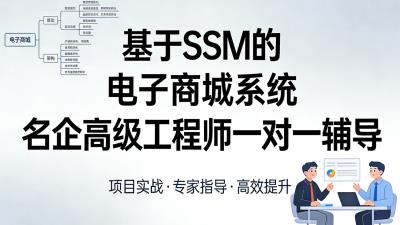
基于SSM企业级架构电商平台项目
主讲:Tom
frameborder="0"
scrolling="no"
onload="resizeIframe(this)">
// 获取 iframe 元素
const gameFrame = document.getElementById('gameIframe');
// 直接执行,无需重复绑定onload
function resizeIframe(iframe) {
try {
// 解决跨域限制:优先用contentWindow获取文档(兼容更多浏览器)
const iframeWin = iframe.contentWindow || iframe.contentDocument.parentWindow;
const doc = iframeWin.document;
// 确保文档完全加载(包括图片、脚本)
if (doc.readyState === "complete" || doc.readyState === "interactive") {
// 取最大高度(兼容不同浏览器的高度计算)
const height = Math.max(
doc.body.scrollHeight, // 内容实际高度
doc.documentElement.scrollHeight, // 文档总高度
doc.body.offsetHeight, // 元素可见高度
doc.documentElement.offsetHeight,
doc.body.clientHeight, // 视口高度
doc.documentElement.clientHeight
);
// 设置最终高度(加20px缓冲,避免底部截断)
iframe.style.height = (height + 20) + "px";
} else {
// 若文档未加载完成,延迟100ms重试
setTimeout(() => resizeIframe(iframe), 100);
}
} catch (e) {
// 跨域时的降级方案:直接设置足够大的固定高度
console.log("跨域限制,使用固定高度");
iframe.style.height = "650px"; // 游戏实际所需高度
}
}
// 页面加载完成后再触发一次,确保万无一失
window.onload = function() {
const iframe = document.getElementById("gameIframe");
if (iframe) {
resizeIframe(iframe);
}
};
// 捕获整个文档的键盘事件
document.addEventListener('keydown', function(e) {
// 只关心我们游戏需要的键
const allowedKeys = ['ArrowLeft', 'ArrowRight', 'Space'];
if (allowedKeys.includes(e.key)) {
// 向 iframe 发送消息
// 第二个参数 '*' 表示可以发送给任何域,在生产环境中应指定确切的目标域,例如 'http://localhost:8000'
gameFrame.contentWindow.postMessage({
type: 'keyEvent',
event: { type: 'keydown', key: e.key }
}, '*');
// 阻止默认行为,防止页面滚动或其他浏览器行为
e.preventDefault();
}
});
document.addEventListener('keyup', function(e) {
const allowedKeys = ['ArrowLeft', 'ArrowRight', 'Space'];
if (allowedKeys.includes(e.key)) {
gameFrame.contentWindow.postMessage({
type: 'keyEvent',
event: { type: 'keyup', key: e.key }
}, '*');
e.preventDefault();
}
});